
In e-commerce brands where customers place repeat orders, in service platforms that work by appointment, and in B2B teams that collect barcodes/orders in the field, a mobile application is no longer a luxury but a direct operational need. However, choosing the wrong technology when entering the mobile application process can lead to both Apple App Store rejections and the rewriting of the project.
1. Difference Between WebView (Site Copy) and Real Mobile App
Many packages offered in the market under the name of low-budget "mobile applications" actually consist of opening the existing website in a frame (WebView). Apple App Store review teams (App Review Guidelines 4.2 - Minimum Functionality) frequently reject WebView apps that do not provide the user with a true mobile experience that is different from the website.
- Real Native Components (React Native): Screen transitions are smooth at 60 FPS, camera barcode reader, GPS map/location, biometric login (Face ID / fingerprint) and offline cache work directly with the device hardware.
- One Code Base, Two Stores: Thanks to the modern cross-platform architecture we use in our iOS & Android mobile application development processes, both iPhone and Android users are served through a single central API. (iOS & Android mobile application development)
2. Real Field Example: Map and Appointment Platform Architecture
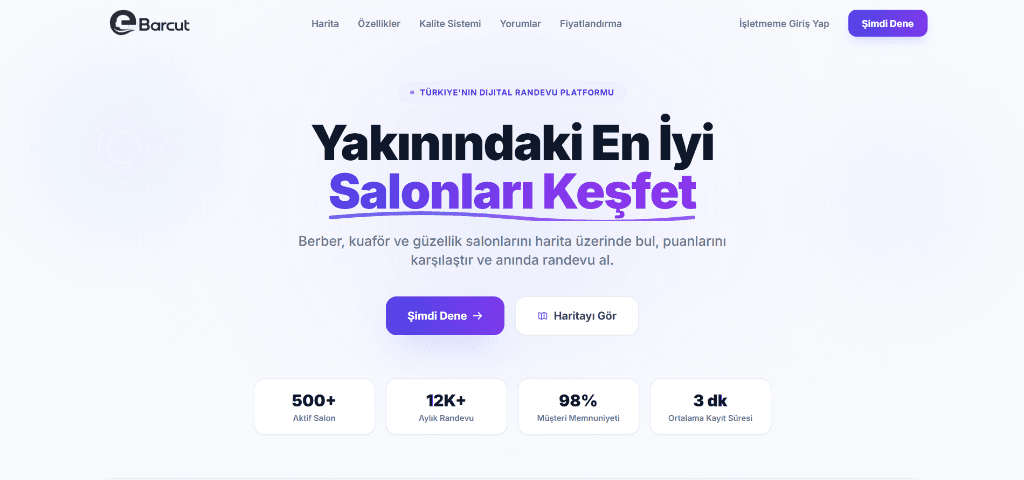
As seen in the case analysis of the eBarcut mobile application we developed; location-based hall discovery, map filtering, real-time calendar availability and business management panel must work synchronously on the same database. When a user makes an appointment via mobile, instant notifications are sent to the operating panel with a correctly designed REST/WebSocket API layer. (eBarcut mobile application case analysis)
3. Comparison of Mobile Application Architectures
| Feature | React Native / Modern Native Architecture | Simple WebView Wrap |
|---|---|---|
| App Store & Play Store Approval | Full compliance with Apple and Google design/functionality guidelines | High risk of rejection and removal from store |
| Push Notification | Unlimited and free notifications by segment, basket or appointment time | Limited or unstable notification support |
| Hardware Integration | Camera QR/barcode, live GPS, Bluetooth printer and biometric verification | Slow experience limited by browser permissions |
| Web & ERP Synchronization | One common API with your website and accounting/warehouse system | Session breaks and synchronization issues |
4. How Do Mobile Application Development Stages Progress?
- Scope and Flow Analysis: User roles (customer, dealer, courier, manager), screen list and systems to be integrated (Virtual POS, cargo, ERP) are clarified.
- UI/UX Prototyping: Before coding, the clickable mobile interface design of all screens is prepared and submitted for your approval.
- API and Mobile Coding: iOS/Android application packages are developed in parallel with the secure server layer; Test versions are installed on your phone and experienced together.
- Store Broadcast and Maintenance: Apple Developer and Google Play Console installations, privacy statements, store screenshots and live broadcast process are completed on a turnkey basis.
You can review our Mobile Application Development page or start a free project meeting to create a technical road map for your e-commerce store, field sales team or new mobile initiative idea. (Making a Mobile Application · free project meeting)